• Home
  • About
  • FAQs
  • Contact
  • News
  • Customer Login
    • Home
    • About
    • FAQs
    • Contact
    • News
    • Customer Login
Fetch Wireless
Fetch Wireless
  • Home
  • About
  • FAQs
  • Contact
  • News
  • Customer Login

wireless internet

Fetch Wireless > Blog2 > wireless internet
Why Fast and Stable Internet Is an Asset to Your Business

Why Fast and Stable Internet Is an Asset to Your Business

Running a business is tricky, especially if you’re going to do it without using the internet. Setting up an e-commerce version of your business is the best option, so...
Read More
Wireless Internet - What You Should Know

Wireless Internet – What You Should Know

People that live in the country, understandably, often wonder how rural areas end up with wireless internet that brings on broadband coverage. Wireless internet is one of the quietest...
Read More
What We Can Do to Ensure High-Speed Internet Connectivity

What We Can Do to Ensure High-Speed Internet Connectivity

Our ancestors could not imagine how far we have come concerning technology. Our grandparents would have already been impressed with the TV, but we kept pushing the envelope. We...
Read More
8 Tips to Improve Your WIFI and Speed Up Your Internet

8 Tips to Improve Your WIFI and Speed Up Your Internet

There is no such thing as too much bandwidth. Even if you have gigabit fiber mainlined into your router, everyone might benefit from assistance in obtaining faster internet across...
Read More
What to Know About Securing a Safe and Stable WiFi Connection

What to Know About Securing a Safe and Stable WiFi Connection

Regardless of what we do with your internet connection, Internet Service Provider (ISP) customer service emails continue to be flooded with complaints about poor and inconsistent WiFi connectivity. However,...
Read More
5 Advantages of Fixed Wireless Internet You Can't Ignore

5 Advantages of Fixed Wireless Internet You Can’t Ignore

We constantly come across and even utilize wireless networks in our daily lives. Wireless networking gadgets that we use include mobile phones, tablets, computers, etc. The wireless network is...
Read More
LTE is the fourth generation of cellular communications. It is an all-IP (internet protocol) based communications system. This means that the technology is built on the same structure as the Internet.

What Benefits Can LTE Provide and What Are Its Limitations

Cellular technology has definitely evolved throughout the years. For example, smartphones today are often equipped with 4G LTE. But what does it mean to have 4G LTE, and are...
Read More
You Should Definitely Have Unlimited Internet By Now

You Should Definitely Have Unlimited Internet By Now

Anyone who has gone online understands how big of an impact the internet can make on your life. In fact, the world has advanced so much that having a...
Read More
Fixed Wireless - Bringing Great Speed and Connection

Fixed Wireless – Bringing Great Speed and Connection

Connecting to the Internet through wires can easily disturb the speed levels and interrupt one’s access. This is why many people are now switching to fixed wireless technology. If...
Read More
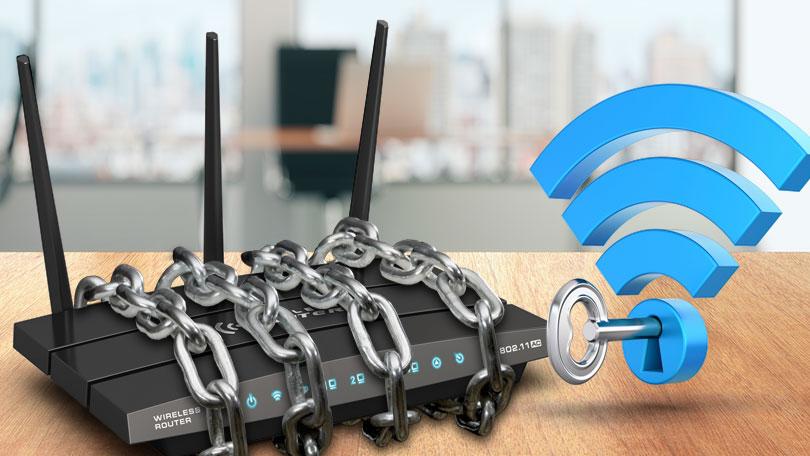
Many people buy a wireless router, plug it in at home, and then forget about their Wi-Fi network’s accessibility. When you don't secure your wireless network from your router, someone can breach your security and either steal your information or render your system useless because of malware. To prevent this from happening, here are five things you need to know to protect your home's wireless network from cybercrime: 1. Routinely Change Your Router Password In order to set up the router, you should change the password regularly. You can use a password generator and activate multiple verification systems, if available. If you want a strong password, choose longer, alphanumeric character combinations. Never use information such as your birthday or anniversary, dog’s name, and the like, so your password is harder to crack. 2. Turn off Remote Administration Using the internet, you can log into the router and make changes to the router's settings from anywhere. If your system gets breached, a hacker can infiltrate your system from anywhere, and get their way to connected devices. This is why drive-by hacking incidents target router passwords in smart homes. Once they are in, they can control the security locks, kitchen appliances, security cameras, and other devices linked to the router. It’s good to learn how to turn this feature off, to add another layer of protection to your home wi-fi system. 3. Edit Your SSID and Disable Broadcast If you want to connect to a wireless network, you need to know its name, or "SSID." All routers have the same SSID, but users can choose to either keep their SSID public or hidden for greater protection. This is because many wireless networks with the same SSID may be in range. Using a default SSID name, a hacker can figure out which brand of router you have and figure out its vulnerabilities to hack their way into your network. To edit your SSID name routinely, be sure to keep it hidden or private. This is because a great hacker only needs a little information to crack your password. In addition, turn off the SSID broadcast after you've set up and configured your router and connected your devices. This way, outsiders looking at available wireless networks will no longer see your network. 4. Encrypt Your Data and Turn off Wireless Protected Setup (WPS) Use the strongest type of encryption that your router can handle so all data transmitted to and from your computer is safe and secure. Choose a strong, unique preshared key or passphrase. This will help you and your family connect to your WiFi network securely. If your router has a WPS feature, you should turn it off since hackers can get your password and take advantage of your network. Use a PIN or Push Button Connect for all connected devices to the router. This protection setup makes it harder for cybercriminals to hack your home’s network. 5. Unplug Your Router At Night Or When Away Think about unplugging your router when you leave for the day or go on vacation. This will not only save you money on your electricity bill, but you ensure nobody can just get into your home wifi while you’re gone. In addition, your router's software should always be updated so bugs and security flaws are routinely checked and fixed. If you want to see if the router's software needs to be updated, you can go into the router and do that. Most have a tab that lets you see if there have been any changes on that page. You can also go directly to the manufacturer's website and get the updates there, as well. Conclusion All of these security checks may seem daunting, but don't let them deter you from practicing online safety. The process of safeguarding your Wi-Fi network can be time-consuming, but these can be simple tips to follow if you know what to do. Making sure that your home network is set up correctly is important, and the time and effort it takes is well worth the peace of mind it brings. Are you looking for a reliable, high-speed wireless internet provider? Look no more because Fetch Wireless can provide up to 300 GB of low-latency data, high-speed rural wireless internet with no hidden fees. Enjoy uninterrupted gaming, streaming, working remotely, and distance learning. Call us today, and we’ll deliver versatile products other technologies simply can't.

Home Wifi Network – 7 Ways to Make It Safe and Secure

Many people buy a wireless router, plug it in at home, and then forget about their Wifi network’s accessibility. When you don’t secure your wireless network from your router,...

Read More

Posts pagination

Previous 1 2 3 4 Next